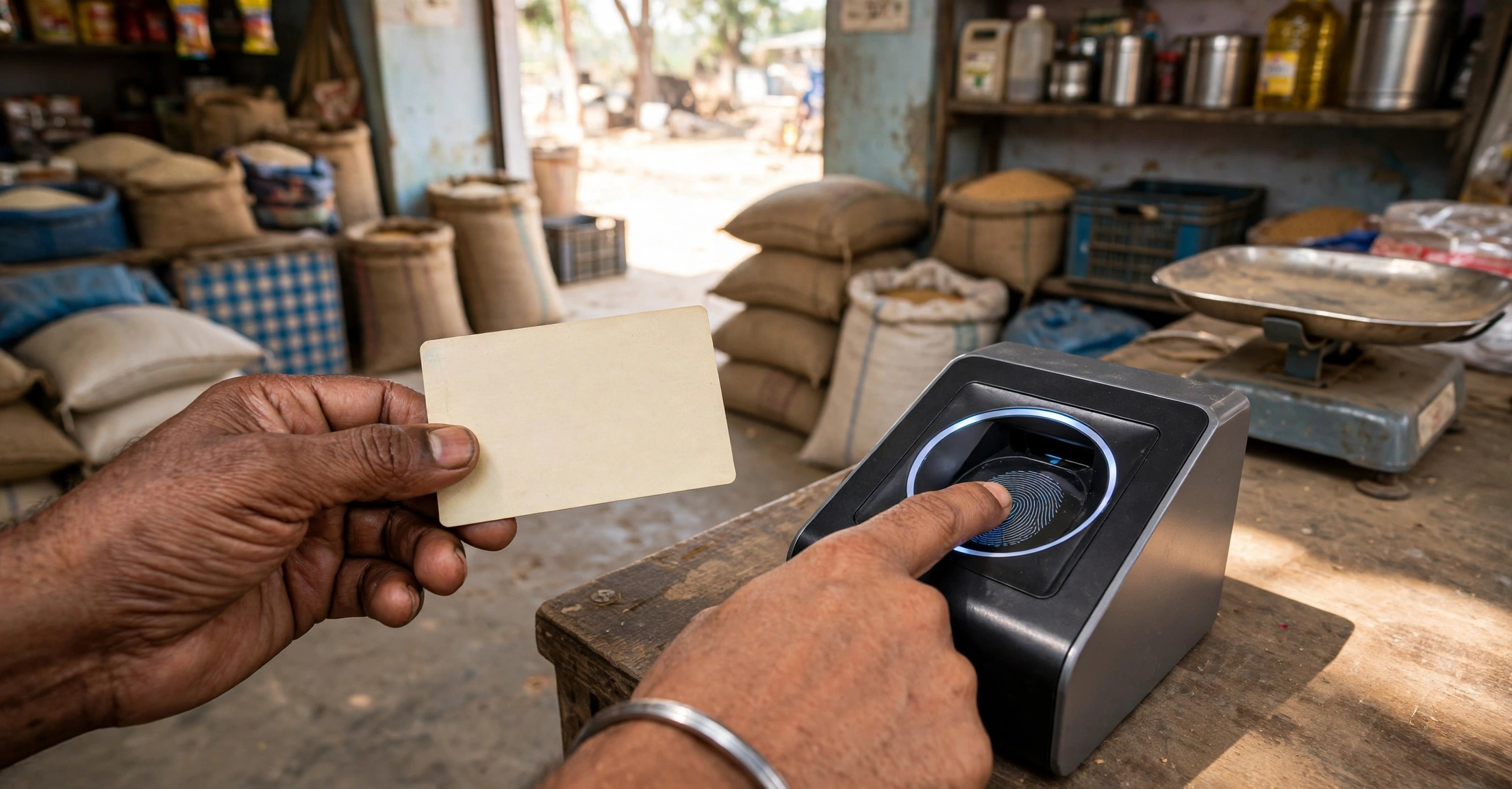

Ration Card e-KYC in AP is now mandatory for every member whose name appears on a ration card in Andhra Pradesh. If your family’s e-KYC is incomplete, your ration can be reduced or stopped, so this is one check every cardholder should finish and verify in 2026.
| Scheme / Task | Ration Card e-KYC (Aadhaar-based e-KYC) |
| State | Andhra Pradesh |
| Who must do it | Every member on the ration card |
| Fee | Free at the ration shop and on the app |
| Where to do it | Ration shop (e-POS), Mera Ration 2.0 app, MeeSeva / Village Secretariat |
| Status check | AP ePDS portal aepos.ap.gov.in |
| Helpline | 1967 (toll-free, NFSA) |

What Is Ration Card e-KYC?
Ration card e-KYC is the Aadhaar-based verification of every member listed on a ration card. During e-KYC, the member’s Aadhaar number is linked to the ration card and their identity is confirmed with a fingerprint, an iris scan, or face authentication. The process is called e-KYC because it is an electronic Know Your Customer check, and it replaces the old paper-based verification of ration card holders.
In Andhra Pradesh, e-KYC is carried out by the Civil Supplies Department through the e-POS machines installed at fair price shops. The same Aadhaar seeding is used for the One Nation One Ration Card system, which lets a cardholder draw ration in any state. Once a member’s e-KYC is done, their name is marked as verified in the department’s database, and the card remains active.
Why e-KYC Is Mandatory in Andhra Pradesh
The Government of India made Aadhaar-based e-KYC compulsory for all ration card beneficiaries under the National Food Security Act. The aim is to remove duplicate, bogus and ineligible names from ration cards so that foodgrains reach only genuine families. Andhra Pradesh has one of the highest e-KYC completion rates in the country, but a small number of members — often children, elderly people and migrants — are still unverified.
For families, the practical reason to finish e-KYC is simple: the ration card is the key to free foodgrains. Under the PM Garib Kalyan Anna Yojana, priority households receive 5 kg of foodgrains per person per month and Antyodaya families receive 35 kg per family per month, free of cost. The Civil Supplies Department can suspend the share of any member whose e-KYC is pending, and a card with no verified member can be cancelled after notice. Finishing e-KYC is therefore not optional paperwork — it protects the family’s monthly ration.
Who Must Complete Ration Card e-KYC?
Every person whose name is printed on the ration card must complete e-KYC, including children. There is no exemption for age. For children below five years, a Baal Aadhaar linked to a parent’s Aadhaar is used. Elderly members who cannot visit the ration shop can complete e-KYC through the Mera Ration 2.0 app using face authentication, or a family member can request help from the Village or Ward Secretariat. Migrant workers who are away from home should complete e-KYC at the ration shop nearest to where they are staying, because the One Nation One Ration Card system allows portability across fair price shops.
Documents Required for Ration Card e-KYC
Keep these ready before you go for e-KYC:
- Aadhaar card of every member on the ration card, in original.
- Ration card number — the card itself or the number written on it.
- Mobile number linked to Aadhaar, if you are using the app or OTP-based authentication.
- Children’s Aadhaar — Baal Aadhaar for children below five years.
No income certificate, caste certificate or new application form is needed for e-KYC itself. If you are applying for a fresh ration card, however, the secretariat will ask for supporting documents, and our guides explain the income certificate and the caste certificate in Andhra Pradesh.
How to Complete Ration Card e-KYC at the Ration Shop
This is the easiest method for most families, and it takes only a few minutes per member:
- Visit your fair price shop (ration shop) with the Aadhaar cards of all family members.
- Give the ration card number to the dealer, who will open your card on the e-POS machine.
- Enter the Aadhaar number of the first member and place your finger on the biometric scanner.
- If the fingerprint does not match, try the iris scan option on the same machine.
- Repeat the process for every member on the card, including children.
- Ask the dealer to show the confirmation on the e-POS screen and keep the transaction slip.
e-KYC at the ration shop is free. Nobody is allowed to charge a fee for it. If a dealer demands money, report it to the Village or Ward Secretariat or call the toll-free helpline 1967.
How to Complete Ration Card e-KYC on the Mera Ration 2.0 App
If you cannot reach the ration shop, the Mera Ration 2.0 app lets you complete e-KYC from your phone:
- Install the Mera Ration 2.0 app from the Google Play Store.
- Open the app and register with the mobile number linked to your Aadhaar.
- Choose the e-KYC option and enter your ration card number.
- Select the member whose e-KYC is pending.
- Complete face authentication by following the on-screen instructions in good light.
- Check the confirmation message and save a screenshot for your records.
Face authentication works best in daylight with the face clearly visible and no spectacles or cap. If face authentication fails repeatedly, use the fingerprint method at the ration shop instead.
How to Complete e-KYC at MeeSeva or the Village Secretariat
If the ration shop machine is not working or a member cannot give biometrics, visit the nearest MeeSeva centre or Village or Ward Secretariat. The staff can check which members are pending, update the mobile number linked to Aadhaar, and guide you on the next step. For a member whose fingerprints do not match because of age or manual work, the secretariat can help arrange an iris scan or a biometric update at the nearest Aadhaar enrolment centre.
How to Check Ration Card e-KYC Status Online
After completing e-KYC, verify that it is recorded. Do not assume the dealer updated it:
- Open the AP ePDS portal at aepos.ap.gov.in.
- Go to the ration card search or e-KYC status section and enter your ration card number.
- Check the status shown against each member’s name — it should read verified or e-KYC completed.
- You can also check the national NFSA portal at nfsa.gov.in under ration card details.
- If a member still shows as pending, repeat the e-KYC at the ration shop and keep the slip.
The AP government portal at ap.gov.in also links to the Civil Supplies Department and other citizen services. If the portal does not show your card, confirm the ration card number with the dealer or the secretariat, because a wrong digit is the most common reason for a failed search.
What Happens If e-KYC Is Not Done?
If a member’s e-KYC remains pending, the department can remove that member’s share from the card, so the family receives less ration. If no member on a card completes e-KYC, the card can be cancelled after a notice. A cancelled or suspended card also creates problems elsewhere, because the ration card is used as address and identity proof for other services — from Annadata Sukhibhava verification to applications made through the secretariat. Families who depend on the monthly ration should therefore treat e-KYC as urgent and not wait for a reminder.
Ration Card e-KYC Deadline in 2026
The Centre has extended the e-KYC deadline several times. The most recent extension ran to 30 September 2025, and states were asked to complete the remaining verification after that date. In 2026 there is no new general extension, so e-KYC remains a live requirement: members who have not completed it are being verified through special drives at ration shops and secretariats. Do not wait for another deadline announcement. If any member of your family is still pending, complete their e-KYC now and confirm the status on the ePDS portal.
Common Problems and Solutions
Fingerprint does not match: try the iris scan at the ration shop, or update your biometrics at an Aadhaar enrolment centre and retry. Mobile number not linked to Aadhaar: update it at an Aadhaar centre first; the mobile update fee is Rs 50. Name mismatch between Aadhaar and ration card: get the name corrected in Aadhaar or in the ration card at the secretariat before attempting e-KYC. Member is away from the village: use the Mera Ration 2.0 app, or complete e-KYC at any fair price shop under the portability system. Portal shows pending after e-KYC: wait 24 to 48 hours for the update, then re-check; if it is still pending, repeat the process and keep the slip.
Frequently Asked Questions About Ration Card e-KYC in AP
Is ration card e-KYC free in Andhra Pradesh?
Yes. e-KYC at the ration shop, on the Mera Ration 2.0 app and at the secretariat is free. Do not pay anyone for it, and report any demand for money to the helpline 1967.
Can I do e-KYC for the whole family at once?
Yes, if all members are present with their Aadhaar cards. Each member’s biometrics are captured separately, so the dealer will process one member at a time on the e-POS machine.
What if a family member has died or moved out?
Inform the Village or Ward Secretariat and get the name removed from the card. Do not attempt e-KYC for a deceased member, because the department verifies deaths against records and the card can be flagged.
Do I need e-KYC if I already receive ration every month?
Yes. Receiving ration does not mean e-KYC is complete. The department verifies members in phases, and a member can be marked pending even while the family still draws ration. Check the status of every member on the portal.
Final Word
Ration card e-KYC in AP takes a few minutes per member, costs nothing, and protects the free ration your family receives every month. Complete it at the ration shop or on the Mera Ration 2.0 app, verify every member’s status on the ePDS portal, and keep the confirmation slip safe. For the wider picture of what changed for cardholders this year, see our guide to Andhra Pradesh schemes in August 2026, and for a free meal when you are away from home, read about the Anna Canteen in AP.
Last updated: November 2026